What brands tried with the coupon code field
The experiments in the record fall into a few themes.
Hiding against showing. Most experiments are about this. On one side: the code box removed from the cart drawer, removed from checkout but kept in the cart, or collapsed behind a toggle. On the other: the field opened by default, with the input and an Apply button in plain view.
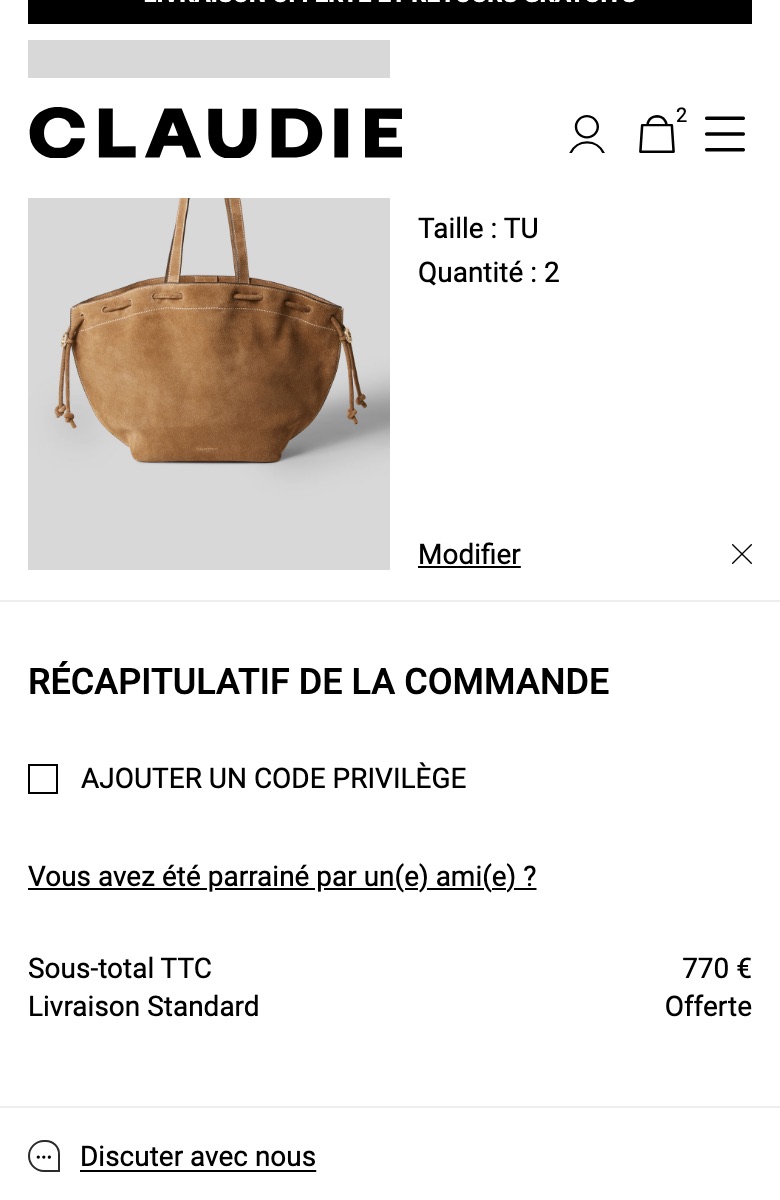
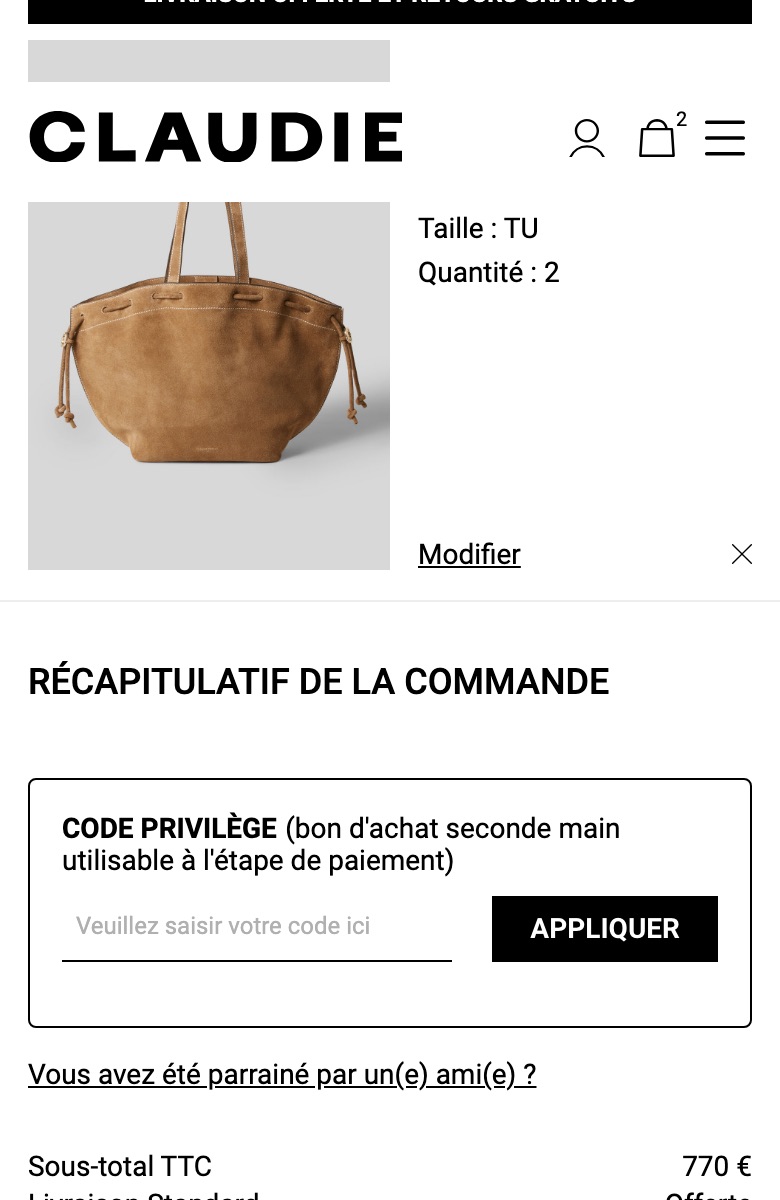
Restyling the collapsed row. A couple kept the field collapsed but changed how the row looks or reads — a squarer box with a percent icon, or a members-style “privilege code” label.
Explaining a rejected code. A one-off explained a rejected code in place: the code was only valid above a minimum spend, and the message said so next to the field.
Because both directions are being tested at the same time, the useful question for your own cart is which shoppers you are designing the field for, not whether to have one.
Coupon code field examples, before and after
Public examples from the record, with the page before and the version tested. The chip shows what the brand did next: Kept means the tested version became the page; Rolled back means the original stayed. Running means the brand was still testing it when last seen.
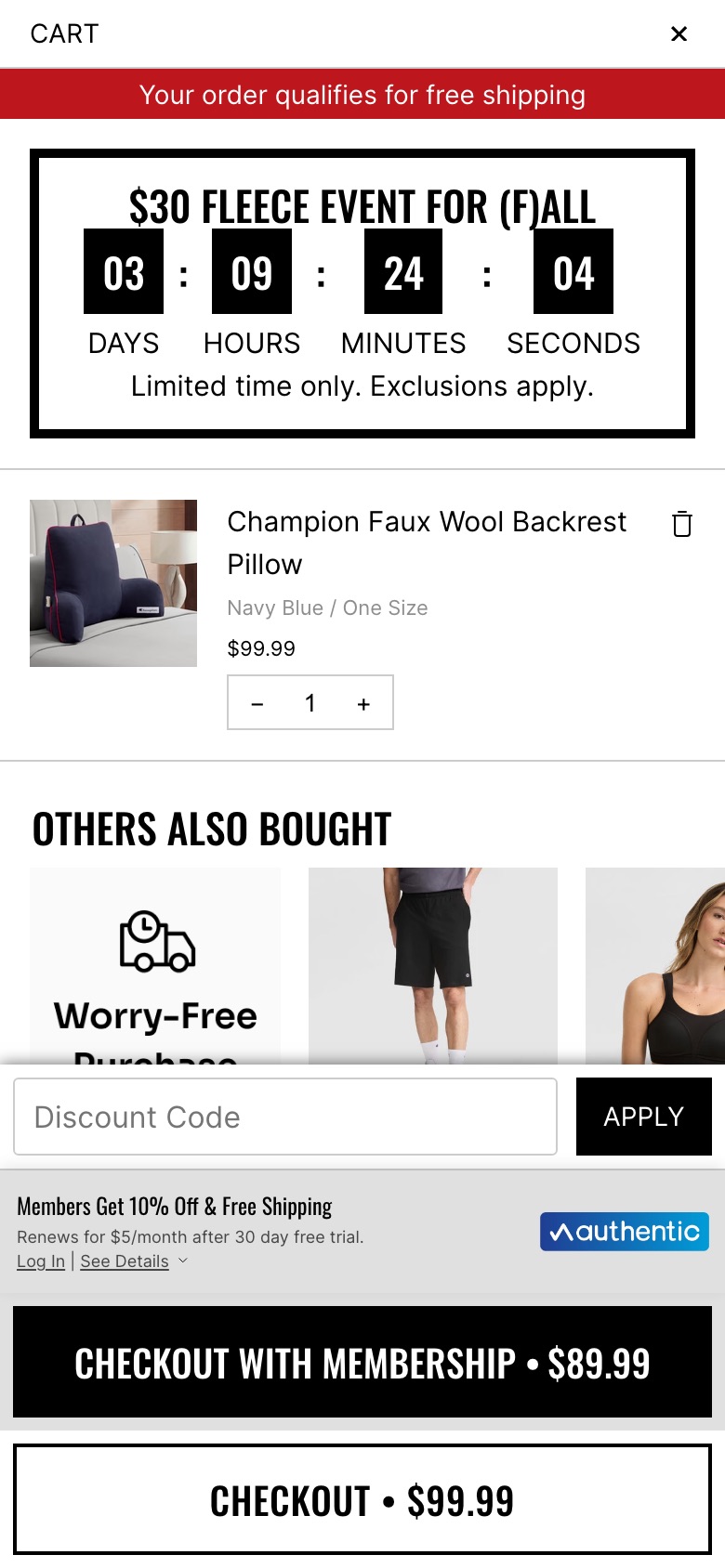
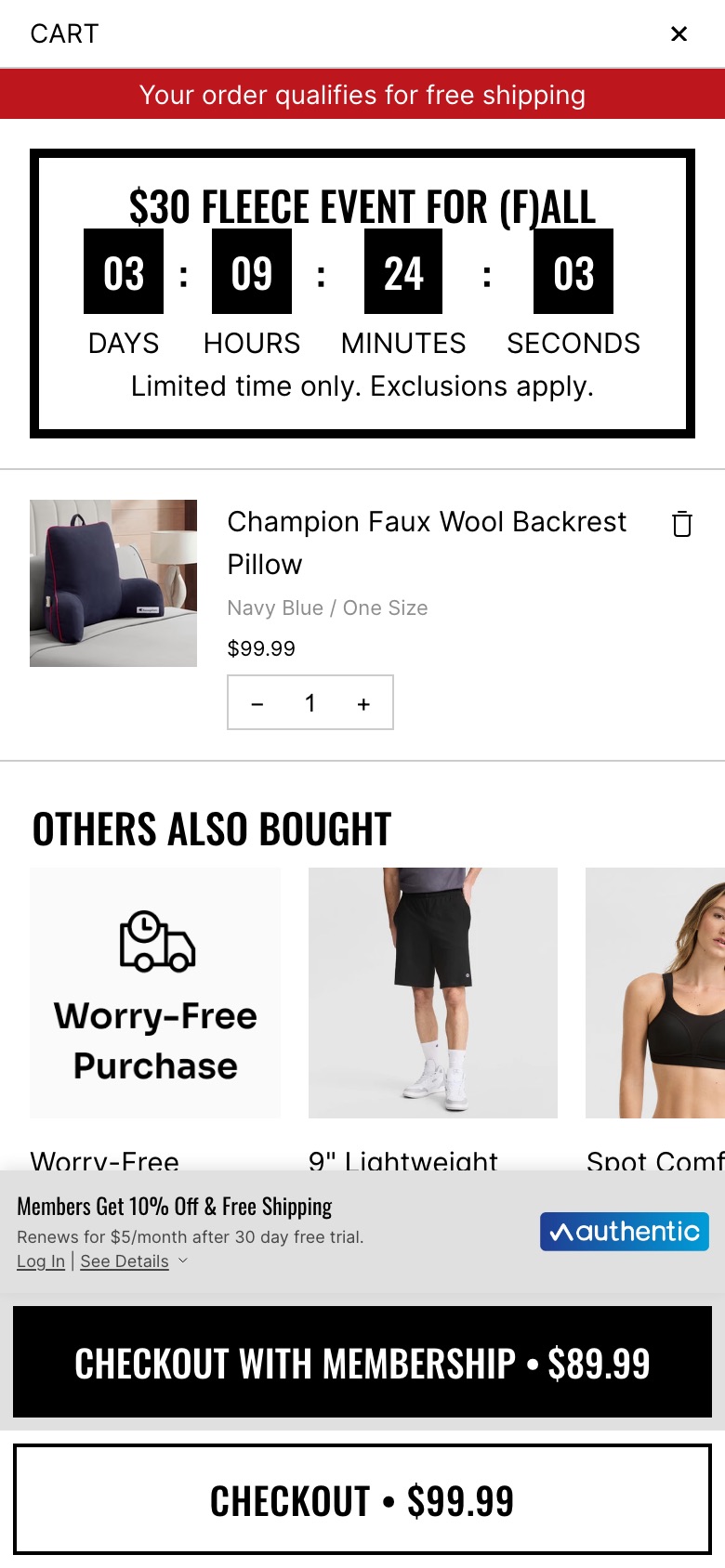
ChampionMini-cart
Cart drawer drops the discount-code boxWhat changed The 'Discount Code' entry field and black 'APPLY' button at the bottom of the cart drawer are removed, leaving the membership offer and the two checkout buttons; the 'Others also bought' tiles show further down as a result.
Seen 25 Sep to 16 Nov 2026
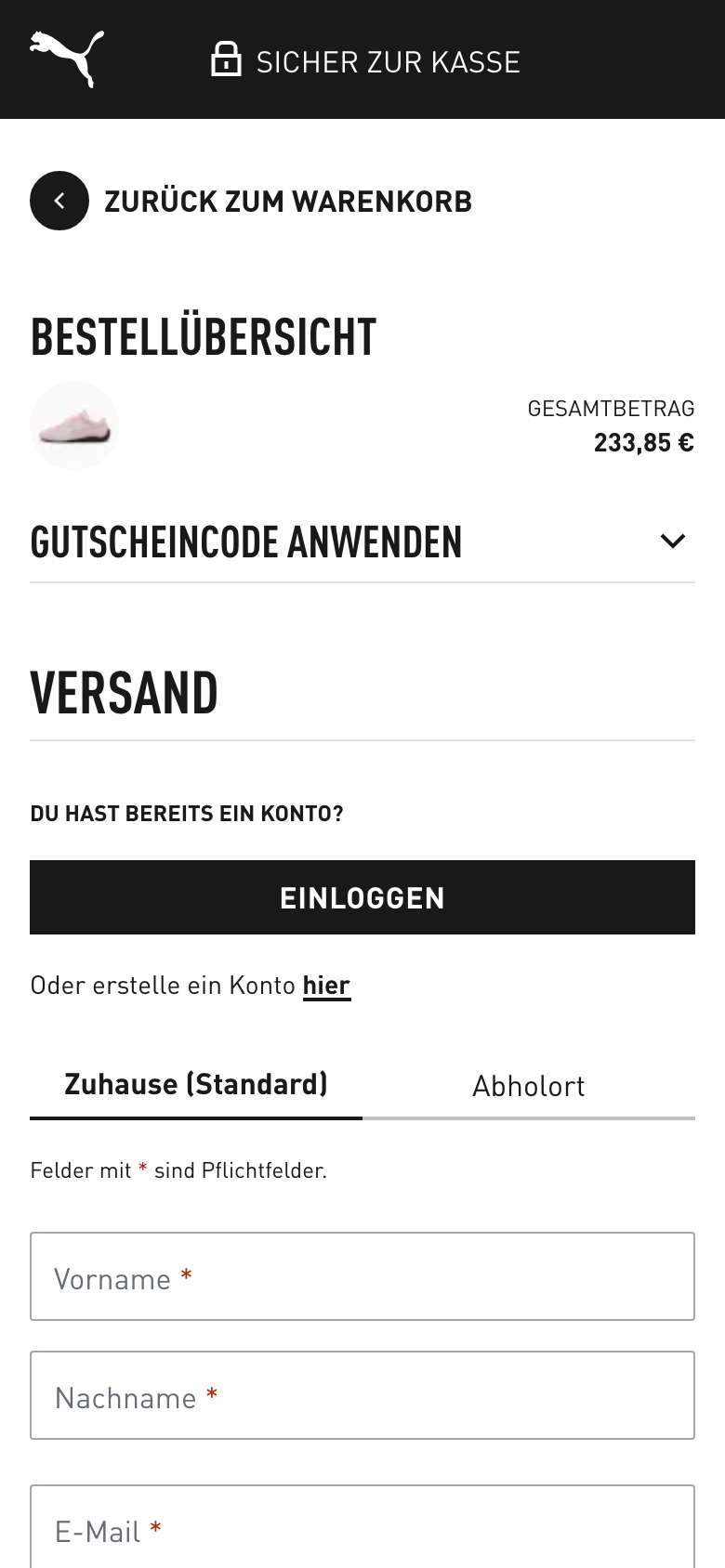
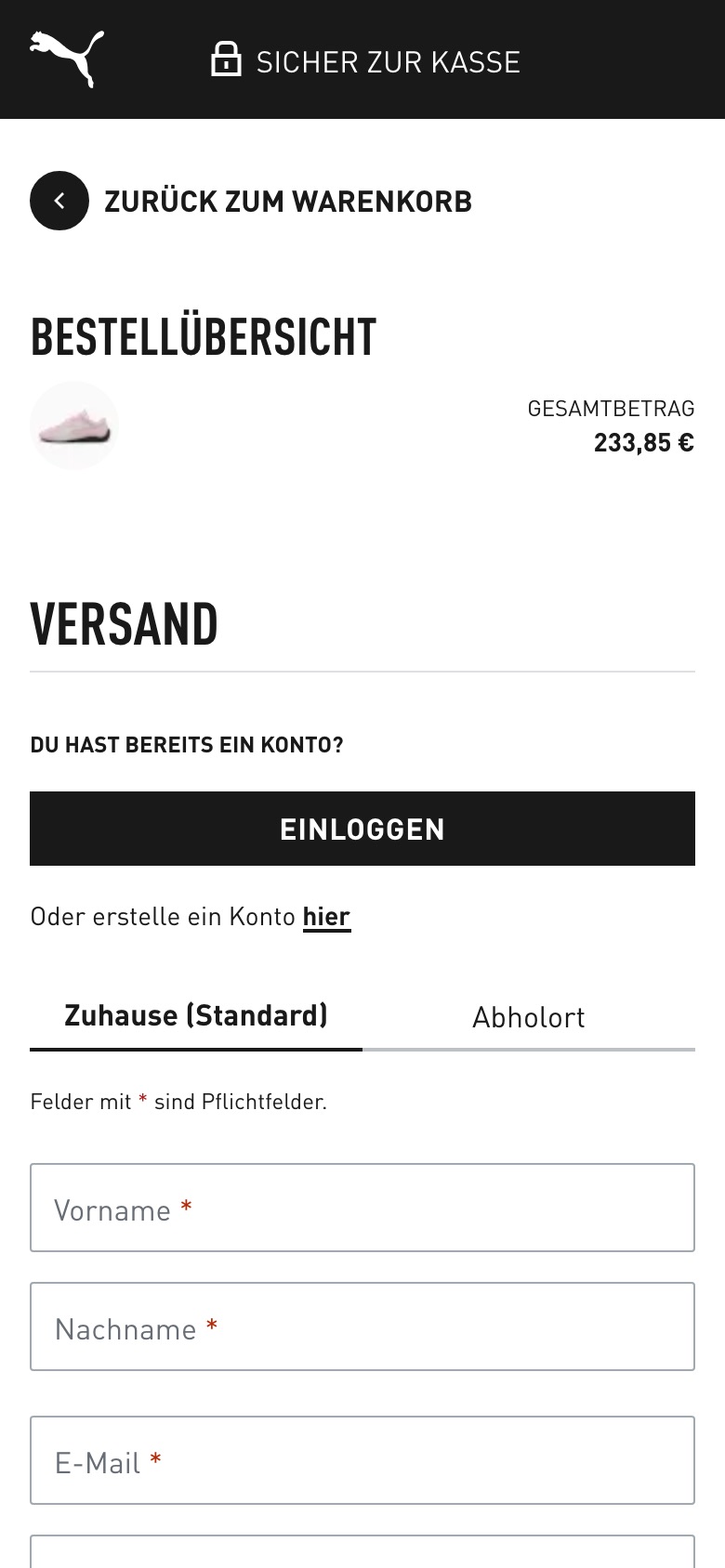
PumaCheckout
Checkout voucher-code field removed (cart only)What changed Removes the 'apply voucher code' accordion from the checkout page, leaving the code field in the cart only
Seen 15 Sep to 19 Oct 2026
Claudie PierlotCart
Cart promo code field opened and labelled as a 'Code privilège'What changed Replaces the 'Ajouter un code privilège' tick-box with an open bordered 'Code privilège' box that has a code field and an 'Appliquer' button
Seen 25 Sep to 16 Nov 2026
Read these as evidence, not results: each card shows what one brand did next, not the lift behind it.
Why brands test the coupon field
The promo-code box serves two kinds of shopper at once. One already has a code and wants somewhere obvious to put it. The other has no code, sees an empty box, and may leave the page to go looking for one. How visible the field is decides which of the two the page favours.
Almost every experiment in this group sits in the cart or the cart drawer; a one-off is in checkout.
The direction is open. Brands are testing both ways — hiding the field and opening it up — and the record does not point one way. Where a card below shows an outcome, it is that one brand’s decision. This page describes what is being tested, not what works.
How to use these tests
Treat this page as evidence for a hypothesis, not an answer.
- Bring it to your own hypothesis. Name the problem on your own checkout that this change would address, and for which shoppers.
- Check the record for your category. Look for brands like yours, the version they tested, and what they did next.
- Test it yourself. Your own experiment is the only result that applies to your site.
Questions
Should the promo code field be hidden at checkout?
ABSee does not recommend either way, and the record does not settle it: brands are testing both hiding the field and opening it up. In the record the field sits almost always in the cart or cart drawer. Whether to hide it is a question for your own test.
Why can a visible coupon box cost sales?
A shopper with no code who sees an empty box may leave the page to look for one, while a shopper with a code wants somewhere obvious to put it. How visible the field is decides which of the two the page favours.
Which brands have tested the coupon code field?
ABSee records brands testing how visible the promo-code box is; the figures are being refreshed. The public examples on this page are Champion, Puma and Claudie Pierlot. The others are named in the record. See the full list in the ABSee database.